

How to Block Fake COD Orders in WooCommerce (Complete Guide)

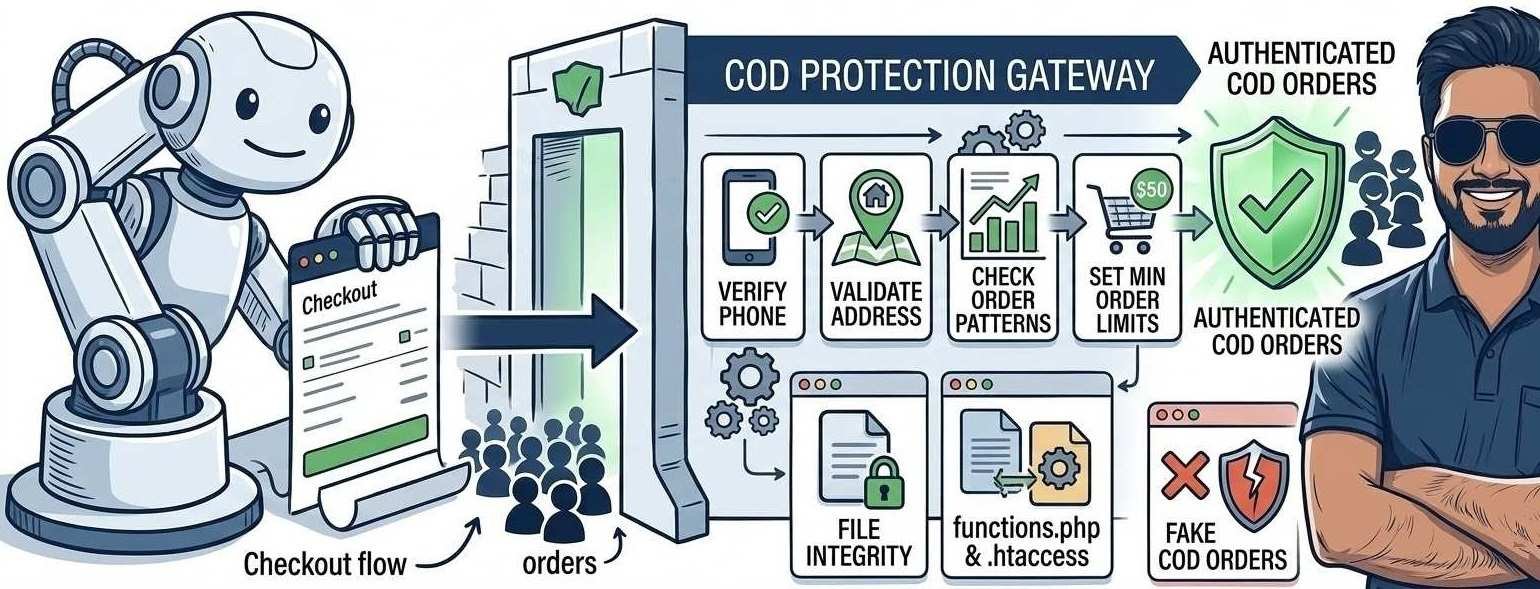
Fake Cash on Delivery (COD) orders are one of the biggest problems WooCommerce store owners face.
When fake orders are placed, store owners may experience:
- 🚚 Shipping losses
- 📦 Product returns
- ⏳ Wasted time confirming orders
- 📉 Reduced profit margins
This problem is especially common for stores offering Cash on Delivery payment options.
Fortunately, there are several ways to detect and block fake orders in WooCommerce before they damage your business.
In this guide, we will show the most effective solutions.
⚡ Quick Fix (Start Here)
If your store is receiving fake orders, try these first:
- Enable CAPTCHA on checkout page
- Require customer account registration
- Limit COD orders per customer
- Verify phone numbers before checkout
- Block suspicious IP addresses
These quick steps can reduce fake orders immediately.
⚠️ Signs of Fake WooCommerce Orders
Fake orders usually show clear warning signs.
Watch for:
- Multiple orders from the same IP address
- Random or unrealistic customer names
- Fake or unreachable phone numbers
- Suspicious or incomplete delivery addresses
- Extremely large COD orders
If these patterns appear frequently, your store may be targeted by spam orders or bots.
🔍 Why Fake COD Orders Happen
Understanding the cause helps you prevent them.
Common reasons include:
- 🤖 Automated spam bots
- 🧑💻 Competitors attempting sabotage
- 😈 Prank customers placing fake orders
- 🔓 Checkout forms without verification
Because COD requires no online payment, it becomes an easy target for abuse.
🛠 Step-by-Step Solutions
Follow these methods to protect your store.
🔧 1. Enable CAPTCHA on Checkout Page
Adding CAPTCHA helps stop automated bots from submitting fake orders.
You can add CAPTCHA using plugins such as:
- reCAPTCHA for WooCommerce
- Advanced Google reCAPTCHA
CAPTCHA forces users to verify they are human before placing orders.
📱 2. Add Phone Number Verification
Many fake orders use invalid phone numbers.
You can enable OTP verification during checkout.
Steps:
- Install an OTP verification plugin
- Require phone verification before checkout completion
- Block orders without verified numbers
This prevents fake customers from placing orders.
🔐 3. Require Customer Account Registration
Guest checkout allows anyone to place orders anonymously.
You can reduce spam by requiring account creation.
To enable this:
- Go to WooCommerce → Settings → Accounts & Privacy
- Disable guest checkout
- Require customers to create an account
Registered accounts discourage fake order attempts.
🚫 4. Limit COD Orders per Customer
You can restrict the number of COD orders a customer can place.
This prevents spam customers from placing multiple fake orders.
Many fraud protection plugins allow rules such as:
- Maximum COD orders per day
- Maximum COD order value
- Block repeated suspicious orders
🌐 5. Block Suspicious IP Addresses
If fake orders come from the same location, block those IP addresses.
Steps:
- Check WooCommerce order logs
- Identify repeated suspicious IPs
- Block them using your security plugin or hosting firewall
This stops repeated attacks from the same source.
🧩 6. Use Fraud Detection Plugins
Fraud prevention plugins can automatically detect suspicious behavior.
These tools analyze:
- Customer location
- Order patterns
- Email addresses
- IP reputation
They can automatically block or flag suspicious orders.
🖥 When Hosting Security Matters
Some hosting environments provide built-in security features such as:
- Firewall protection
- Bot filtering
- Traffic monitoring
These features can help detect unusual traffic patterns that may lead to fake orders.
Choosing a secure hosting environment helps improve overall store protection.
Best Hosting for High Traffic Websites (2026) – Scalable, Fast & Reliable
✅ Best Practices to Prevent Fake Orders
Follow these practices to keep your store safe:
✔ Enable CAPTCHA on checkout
✔ Use phone or email verification
✔ Monitor suspicious order activity
✔ Limit COD orders for new customers
✔ Use security and fraud detection plugins
These steps significantly reduce fake orders.
❓ Frequently Asked Questions
Fake orders are often caused by spam bots, prank users, or competitors trying to disrupt your business.
Yes. Since COD requires no upfront payment, disabling it can eliminate most fake order problems.
Yes. CAPTCHA prevents automated bots from submitting checkout forms.
🔗 Related WooCommerce Guides
You may also find these helpful:
- Fix WooCommerce Checkout Page Not Loading
- Fix WooCommerce Shipping Cost Not Calculating
- Fix WooCommerce Cart Not Updating
These guides cover other common WooCommerce store problems.
Fake COD orders can cause serious losses for WooCommerce stores. By implementing verification methods such as CAPTCHA, phone verification, and order limits, you can significantly reduce fraudulent activity.
Protecting your checkout process helps ensure real customers place genuine orders, allowing your store to run smoothly.